AI dubbing in your own voice: how it works and what to check
An AI dub can speak the translation in the voice of the person who recorded the video. Here is where that voice comes from, when it beats a library voice, and what to check when you hear yourself in another language.
Yes, AI can dub a video in your own voice
Yes. An AI dubbing tool can speak the translation of your video in a voice that sounds like yours, so your students or viewers hear you instead of a stranger. In DubForge the voice is taken from the file you upload: there is no voice to record or train first. You upload the lesson, choose the languages, and the dub comes back in your voice.
A dub in your own voice is still a translation spoken by software. It is not a recording of you speaking the other language, and it needs the same review as any dub: the words, the terms, the timing and the way it sounds.
Where the voice comes from
Some tools ask you to read a script into a microphone, or to upload a separate sample of your voice, before they can speak for you. DubForge works from the video you are dubbing: the speech in that file is what gets translated, and it is also where the voice comes from.
That has a practical side. Any tool that takes a voice from a recording works from what the recording holds, so a clear recording, with the microphone close and little room noise, gives it more to work with. How to prepare a video for dubbing covers the rest of the checklist.
You upload the file itself (MP4, MOV, M4A or WAV), not a YouTube link, because a link does not show that you hold the rights. When you create the project you also choose whether to keep the music and background sound; they are separated from the speech and mixed back under the dub.
When more than one person speaks
A lesson is often one voice, but not always: a co-host, a guest, a student asking a question. When you create a DubForge project you say how many voices the video has: one, two, three or more, or not sure. Each person speaking is dubbed in their own voice and speaks when they spoke, so the question still sounds like the student and the answer still sounds like you.
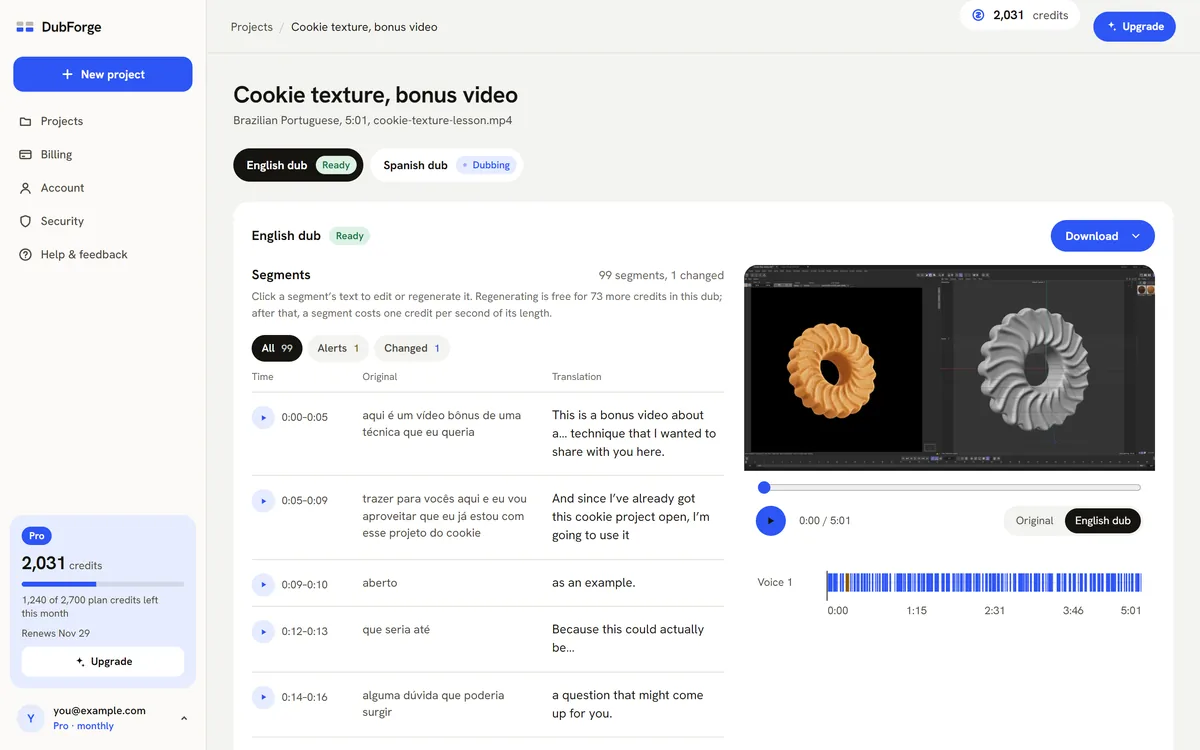
In the editor, each voice has its own lane on the video's clock, and you can play the original or the dub from any segment to hear who says what. Every person whose voice you dub needs to have agreed to it, which is covered below.
Your own voice or a library voice
A library voice is a stock voice a tool offers to everyone. It can be clear and pleasant, and for some videos it is the right choice. Your own voice matters when the viewer is following you as a person, not only the information.
- Pick your own voice when the audience comes back for you: a course, a recurring channel, a teacher whose students already know how they sound. Those viewers notice when a stranger is teaching them instead.
- A library voice can fit when nobody on screen is the point: a product walkthrough with no presenter, a narrated explainer, or a video where you would rather not be heard at all.
A channel is also a long relationship. If your original videos are in your voice, a dub in your voice keeps the dubbed version of the channel recognizably yours. DubForge dubs each person in their own voice, so it is built for the first case. The YouTube creators guide looks at the choice from the channel side.
What to listen for when you hear yourself
Hearing your own voice in a language you may not speak is strange at first, and the first reaction is often about the strangeness rather than the dub. Listen twice: once as yourself, then once as a viewer who has never heard you before.
- Energy. It should sound like you on a normal teaching day: not more excited, not flatter, not like an announcer.
- The same voice from start to end. Play a segment from the first minute, then one from the last. The voice should not drift between them.
- Names and terms. Product names, menu items, shortcuts and numbers are where a translation slips. Fix them in the transcript or the translation.
- Pauses. If you stopped to wait for something to load, the dub should stop too. See why pauses matter in dubbing.
- Endings. Listen to the last word of each line. A clipped ending is easy to miss, and once a viewer notices it, they hear it everywhere.
- Repeated lines. If you said the same thing twice on purpose, check that the dub does not sound pasted the second time.
When something is off, edit the transcript or the translation of that segment and regenerate it: the whole thought is redone in the same voice, never one word patched in. Every version is kept, and going back to an earlier one is free. The full routine is in how to review an AI dub.
Consent, and telling your audience
A voice is personal, and dubbing it puts new words in that person's mouth. DubForge lets you dub your own voice, or voices whose owners gave you written permission, and each project asks you to confirm that for that exact file. That includes public figures: their voice needs their written permission too.
If a co-host or a guest speaks in your video, get their written permission before you dub it. Whose voice you can dub goes into the details. The voice guidelines and the acceptable use policy set out the rules, including what is never allowed, such as impersonation and fraud.
Exported audio carries AI marking, and DubForge's terms ask you to tell your audience the dub was made with AI. A line in the description, such as "English audio dubbed with AI from the original Portuguese", tells viewers what they are hearing.
Your files stay private: only you see them, download links expire after five minutes, and the team reaches a project only through admin tools, with each look recorded. The trust page has the details.
Questions
Do I need to record voice samples for an AI dub in my voice?
Not with DubForge. The voice is taken from the video you upload, so there is nothing to record or train first.
Will the AI dub sound exactly like me?
It speaks in your voice, but it is a translation spoken by software, not you speaking the language. Check the result on your own video: DubForge's free trial dubs 30 seconds, enough to hear it.
Can I dub someone else's voice with AI?
Only with their written permission, and you confirm it for each file. The same goes for public figures.
Does my dubbed voice change if I edit a line?
No. When you edit the transcript or the translation of a segment and regenerate it, the whole thought is redone in the same voice. Every earlier version is kept, and going back to one is free.